 AI Mac Cleaner
cfprefsd High CPU on Mac: What It Is and How to Fix It
cfprefsd high CPU on a Mac usually means an app is hammering its own preferences file in a loop. Here's how to find which one and settle it down.
Seeing cfprefsd high CPU in Activity Monitor is confusing precisely because the name gives you almost nothing to go on — it's not an app you installed, and most people have never had a reason to look it up before today. cfprefsd is one of macOS's own background daemons, and a short spike from it is completely normal. The problem worth fixing is when it stays pinned high for minutes at a time instead of settling back down.
What cfprefsd actually does
cfprefsd is the preferences daemon behind Apple's Core Foundation preferences system — the mechanism almost every Mac app and system component uses to read and write its own settings file instead of handling that itself. Every time an app checks a setting, saves a window position, or updates a default, that read or write usually goes through cfprefsd rather than the app touching its preferences file directly. With dozens of apps and system processes all relying on the same daemon, a short burst of activity from it is expected background noise, not a sign something is wrong.
When cfprefsd high CPU is normal
A brief spike is expected around:
- Launching or quitting apps, especially several at once — each one reads its saved preferences on launch and can write updated ones on quit.
- Right after login, when a long list of launch-at-login apps and system components are all checking their settings within a short window.
- Right after a macOS update, when many apps' preference stores get touched as part of migrating settings forward.
- Syncing preferences across devices, if you use iCloud-synced settings for apps that support it.
In each of these, cfprefsd should return to near-zero within a few seconds to a minute once the burst of reads and writes finishes.
When it's worth a second look
The pattern that actually indicates a problem is different: cfprefsd staying high continuously, often tied to one specific app repeatedly rewriting its own preferences — sometimes because that app is stuck in a crash-and-relaunch loop, or has a bug that keeps re-saving the same setting. The checks worth doing, roughly in order:
- Check Activity Monitor for a second runaway process. cfprefsd itself rarely misbehaves on its own; it's almost always doing real work on behalf of something else. Sort by CPU and look for an app also showing unusually high or repeatedly spiking usage near the same time — that's the more likely actual cause.
- Quit apps one at a time. If you recently opened or updated a specific app right before the spike started, quit it and watch whether cfprefsd settles. A buggy update is a common trigger.
- Look for a crash loop. Console.app (Applications → Utilities → Console) will show repeated crash or relaunch entries for an app if that's what's driving it — search for the suspect app's name alongside
cfprefsdin the log stream. - Restart your Mac. Since cfprefsd is a background daemon with no interface of its own, a restart clears any stuck state cleanly, the same as it would for coreduetd or any other system daemon.
Don't delete or reset preference files blindly
It's tempting to go hunting through ~/Library/Preferences and delete .plist files to "fix" this, but that resets the settings of whatever app you touch — sign-in state, license activation, window layouts, all gone — and it rarely addresses the actual cause, which is almost always the behavior of a specific app rather than a corrupted preferences file. Identify the app first with the steps above; only reset its preferences deliberately, as a last resort, and only for that one app.
Where AI Mac Cleaner fits in
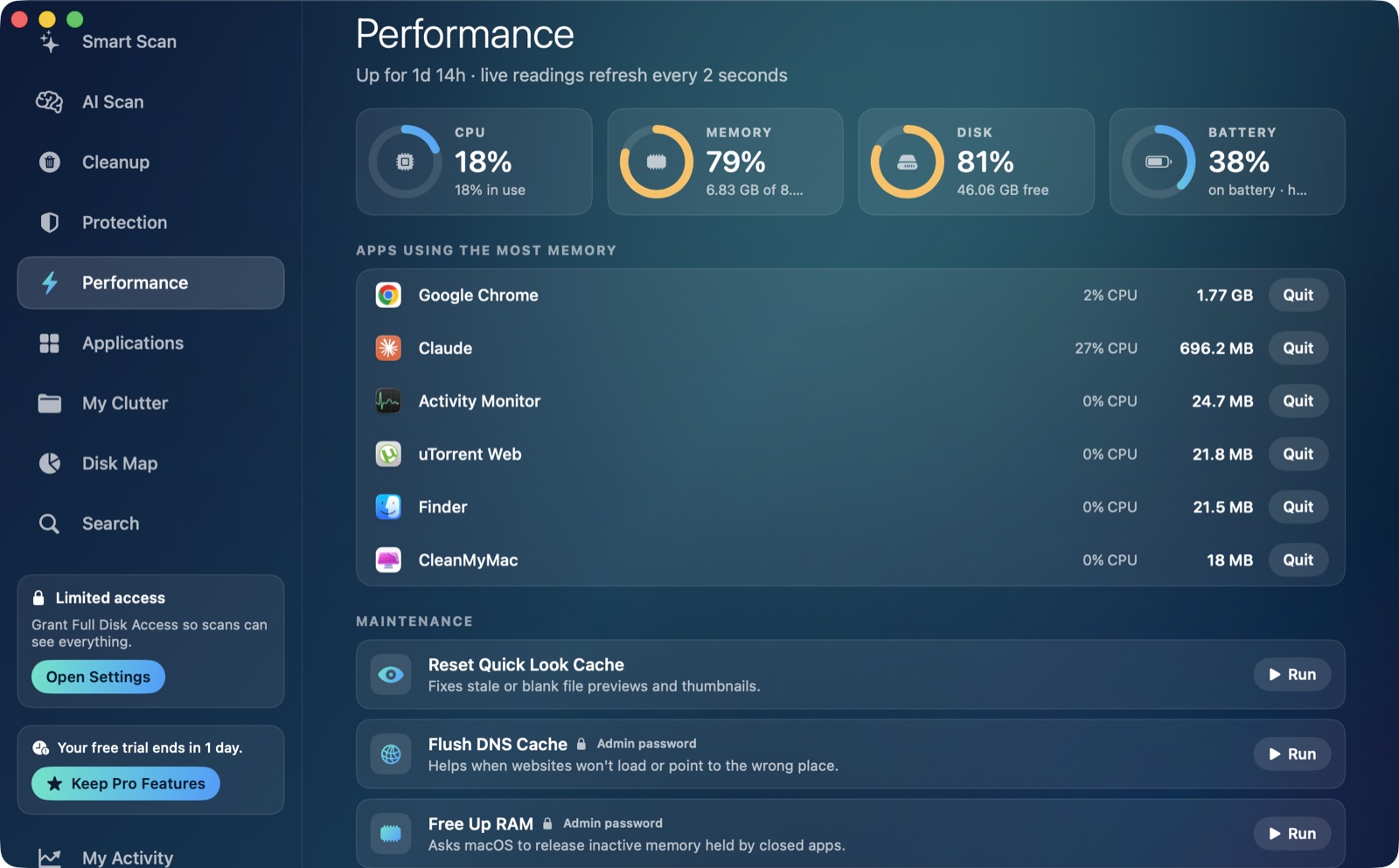
AI Mac Cleaner's Performance module shows cfprefsd in the same live, ranked CPU view as every other process competing for a core right now — windowserver, mdworker, coreduetd — so you can see at a glance whether it's actually the top consumer or just one of several processes spiking together, which is the real clue to whether something specific is stuck. It isn't a process the app would ever offer to remove or disable; it's core macOS infrastructure, not junk, so the honest answer here is visibility and a ranked view, not a cleanup action.
AI Mac Cleaner has a 7-day free trial with every feature unlocked and no card required, plans from $6.99/mo after.
Frequently asked questions
Is cfprefsd a virus or spyware?
No — it's Apple's own Core Foundation preferences daemon, used by macOS and third-party apps alike to read and write settings files. It isn't something installed on you or a third-party tracker.
Why does cfprefsd spike right after I log in?
Login is when every launch-at-login app and system component checks its saved settings within a short window, which is genuine work for cfprefsd to do. It's expected to settle within a minute or so.
Can I force-quit cfprefsd to stop the CPU usage?
You can, but macOS relaunches it almost immediately since other processes depend on it, so nothing is actually freed — and if an app is mid-write to its preferences when you kill it, that app's settings can end up in an inconsistent state.
Will deleting my preference files fix a stuck cfprefsd?
Usually not, and it resets whatever app's preferences you delete — sign-in state, license activation, layout, all gone. Identify the specific app causing it first rather than deleting preference files as a first move.
Does AI Mac Cleaner let me disable or remove cfprefsd?
No, and it shouldn't — it's core macOS infrastructure, not an app or junk file. AI Mac Cleaner's Performance module shows it in the live CPU view alongside every other process so you can judge whether it's the real cause or one of several processes spiking together.