 AI Mac Cleaner
: An OnyX Alternative, Honestly Compared
Looking for an OnyX alternative? A factual look at what the free Titanium Software utility does, who it's built for, and how AI Mac Cleaner compares on approach and price.
If you're looking for an OnyX alternative, it's worth being upfront about what OnyX actually is first: a free, donation-supported macOS maintenance utility from Titanium Software that bundles a long list of system-level verification and cleanup tasks behind one interface, built for people comfortable poking around under the hood. Here's an honest comparison of what that means next to AI Mac Cleaner.
Quick answer: if you want automatic junk detection with plain-language explanations of what each finding actually is, a Trash-first safety model, and an uninstaller that also finds an app's leftovers, that's AI Mac Cleaner. If you want a free, no-subscription tool for running macOS's own maintenance scripts, rebuilding the Spotlight or LaunchServices databases, and tweaking Finder and Dock parameters most users never touch, OnyX genuinely does that well, at no cost.
What OnyX actually does
OnyX groups together a set of system tasks that would otherwise mean several different Terminal commands or separate utilities: verifying the structure of the file system, rebuilding the LaunchServices database (which can fix a Mac that's confused about which app opens a given file type), rebuilding the Spotlight index, running macOS's own periodic maintenance scripts, and clearing system, app and browser caches and logs. Beyond maintenance, its Parameters section lets you customize things like Finder behavior, menu bar items, Dock appearance and login options — closer to a system-tweaking tool than a storage cleaner. It's free, Mac-only, and Titanium Software publishes a separate build for each major macOS release, so it needs updating when you update macOS.
AI Mac Cleaner doesn't try to be that kind of tool. It has no Finder, Dock or menu-bar customization, and no LaunchServices or filesystem-structure repair — its job is scanning for junk, duplicates, security issues and performance problems, explaining what it finds, and removing it safely, not reconfiguring how macOS itself looks or behaves.
Detection and explanation versus manual task selection
OnyX presents its maintenance tasks as a menu you choose from; running "Clean System Caches" clears system caches, and it's on you to already know roughly what each menu item does and whether you want it run, since OnyX itself doesn't size anything for you first or explain the tradeoffs in plain language. That's a reasonable design for its intended, more technical audience, but it's a real difference from a scan-first model.
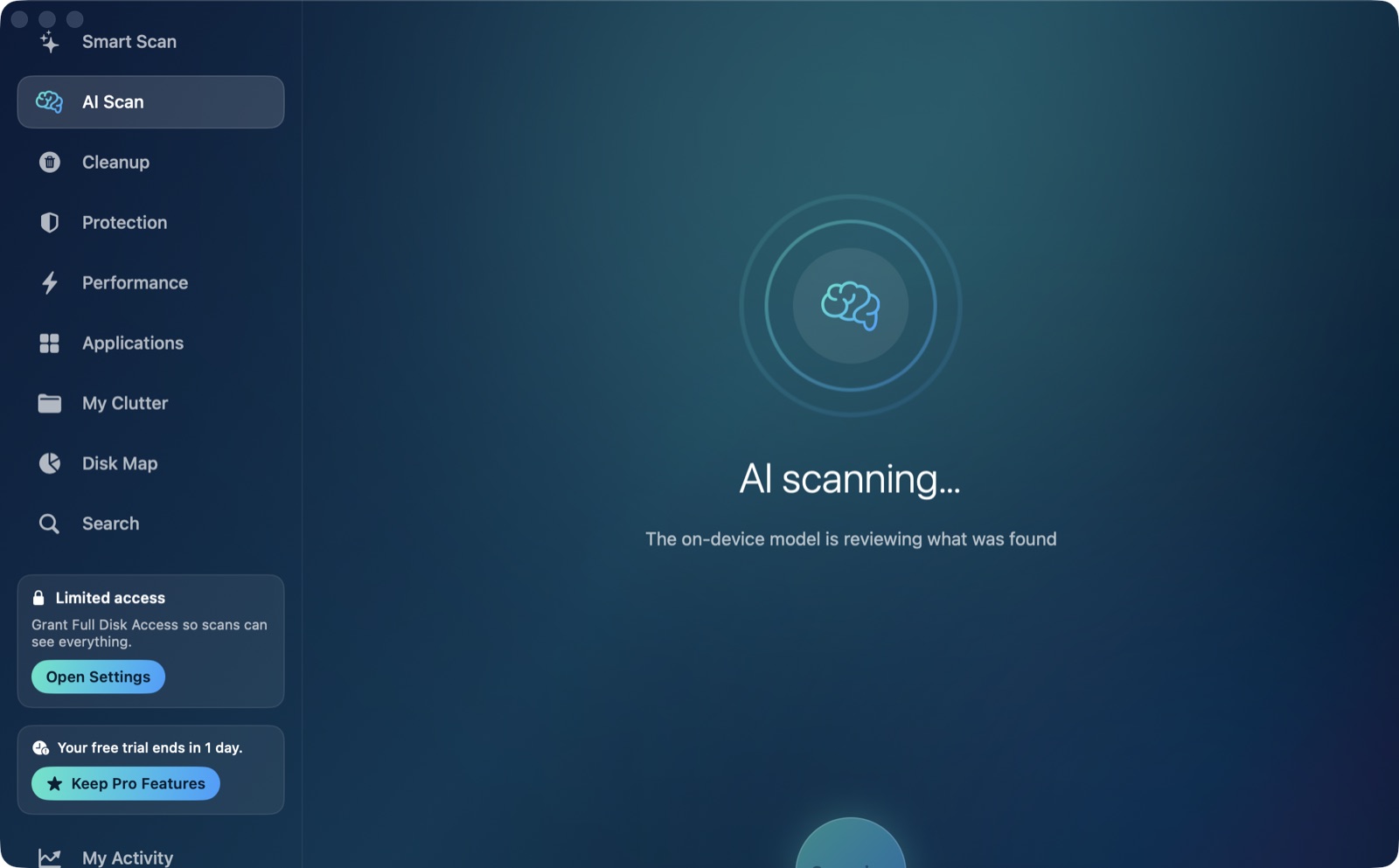
AI Mac Cleaner's Smart Scan and Cleanup modules work the other way around: they scan first, show you exactly what was found with its size (user caches, logs, Xcode Derived Data, old iOS Device Support, Simulator caches, npm cache, installers and disk images, plus review-only categories for things like iPhone backups and Docker's disk image), and only remove what you confirm. AI Scan then uses Apple's on-device FoundationModels — entirely on your Mac, nothing sent anywhere — to explain each finding in plain language and help rank what's actually worth clearing, falling back to a rule-based, non-AI-labeled list when Apple Intelligence isn't available. Rules decide what's safe to offer; the model only ever writes the explanation, never the removal decision.
Pricing, head to head
OnyX is free, supported by optional donations to Titanium Software, with no subscription and no feature gate — every tool it offers is available to everyone who downloads it.
AI Mac Cleaner is $6.99/month, $49.99/year, or $199 as a one-time lifetime purchase for one Mac, with a 7-day free trial (every feature unlocked, no card required). The honest comparison isn't "cheaper" — it's "you're paying for automatic scanning, sizing and on-device AI explanation on top of the cleanup itself, where OnyX gives you free access to a toolbox you operate yourself." After the trial, scanning stays free forever, with cleaning capped at 500MB total on the free plan if you'd rather not subscribe at all.
What neither tool replaces
Neither app is an antivirus in the traditional sense, and neither one is a general system-tweaking replacement for the other — OnyX's Parameters section and system-script runner have no equivalent in AI Mac Cleaner, and OnyX has no uninstaller that hunts down an app's ~/Library leftovers, no malware-indicator scan, and no AI explanation layer at all, by design; its own feature list doesn't claim any of those.
Try it yourself
The fastest way to see the difference is to run AI Mac Cleaner's free scan and read what it actually finds — no account, no card, nothing leaves your Mac. Start your free 7-day trial or see the full feature list. If you're also weighing a subscription-based cleaner rather than a free maintenance utility, see how AI Mac Cleaner compares to CleanMyMac; for more on why AI Mac Cleaner moves things to the Trash instead of deleting them outright, see is it safe to clear caches on a Mac.
Frequently asked questions
Is OnyX safe to use?
OnyX is a long-established, well-known free utility from Titanium Software, and its maintenance tasks mirror things macOS itself does automatically (cache clearing, periodic scripts, index rebuilding). It's aimed at a more technical audience that's comfortable choosing which task to run without the tool sizing or explaining findings first — that's the main thing to know going in, not a safety red flag.
What's the real difference between AI Mac Cleaner and OnyX?
OnyX is a free, menu-driven toolbox of system maintenance tasks you choose and run yourself. AI Mac Cleaner scans first, shows you sized findings with plain-language on-device AI explanations, and only removes what you confirm — plus an uninstaller, malware-indicator scan and cloud-storage cleanup OnyX doesn't offer.
Does AI Mac Cleaner do the system tweaks OnyX does, like Dock or Finder customization?
No — AI Mac Cleaner has no Parameters-style system customization. It's focused on scanning, explaining and safely clearing junk, duplicates, security findings and performance issues, not on tweaking how macOS looks or behaves.
Is AI Mac Cleaner worth paying for if OnyX is free?
Depends what you want. If you're comfortable choosing your own maintenance tasks and don't need junk detection, sizing or explanations, OnyX's price (free) is hard to beat for that specific job. If you want automatic detection with on-device AI explanations, an uninstaller and Trash-first safety, that's what the subscription is actually paying for.
Can I try AI Mac Cleaner before paying, the way OnyX is already free?
Yes — a 7-day free trial unlocks every feature, no card required. After the trial, scanning stays free forever with cleaning capped at 500MB total unless you're on a paid plan.