 AI Mac Cleaner
: A CCleaner for Mac Alternative, Honestly Compared
Looking for a CCleaner for Mac alternative? A factual look at what CCleaner's Mac app actually includes, its pricing and safety history, and how AI Mac Cleaner compares.
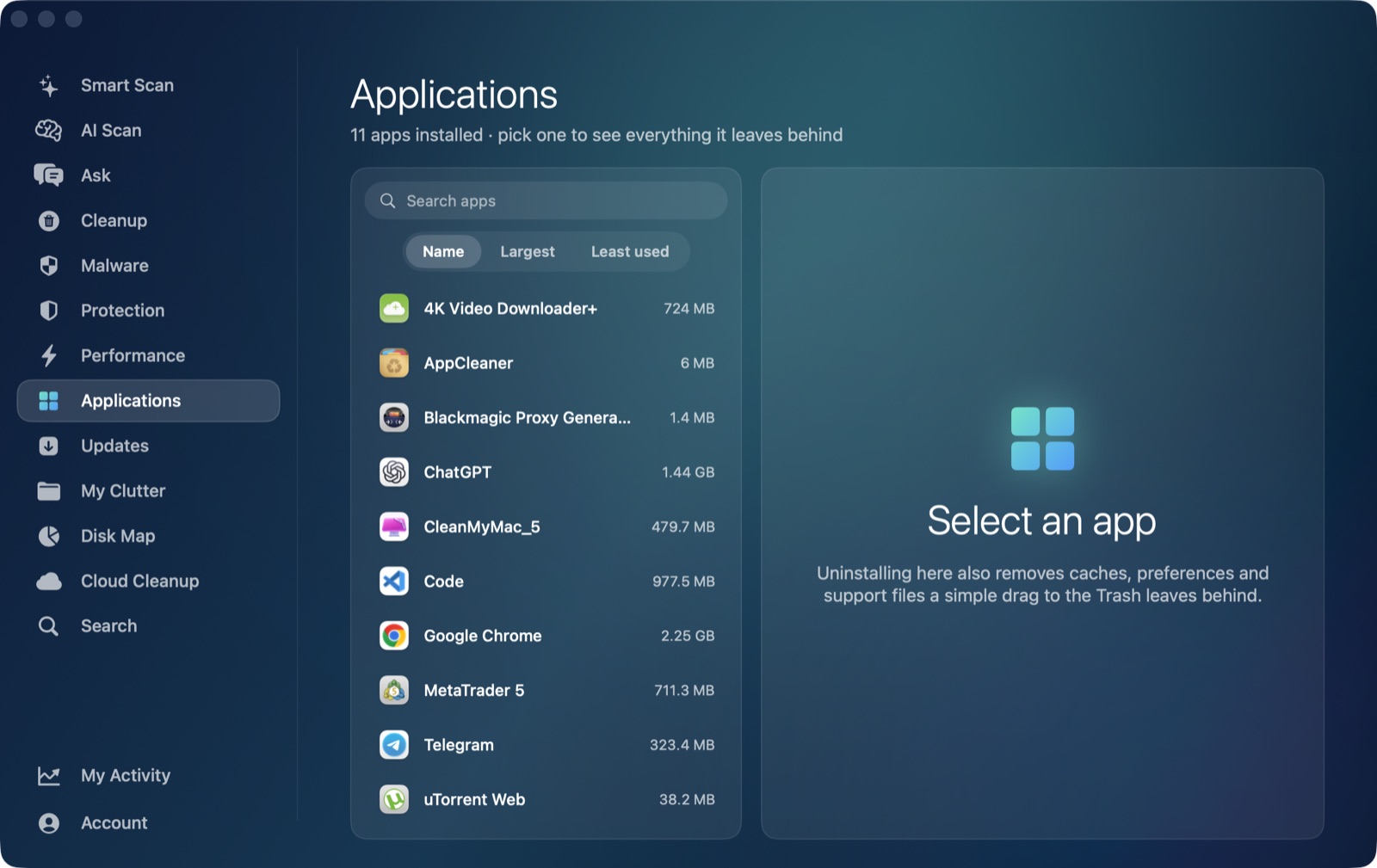
If you're searching for a CCleaner for Mac alternative, it's worth knowing what you're actually comparing first: CCleaner is a long-running Windows cleanup brand (first released in 2004, now owned by Gen Digital) whose Mac app is a newer, separate product with its own free, Professional and Professional Plus tiers. Here's an honest, feature-by-feature comparison of CCleaner for Mac vs AI Mac Cleaner, checked against both apps' own descriptions.
Quick answer: if you want a cleaner that automatically offers developer-specific caches, keeps every risky category unticked until you review it, and explains its findings with free on-device AI, that's AI Mac Cleaner. If you want a well-known, cross-platform name with a genuinely useful free tier and a bundle that also covers your PC and Android phone, CCleaner for Mac does that reasonably well — it's just not aimed at developers and has no AI layer at all.
What CCleaner for Mac actually offers
Reading CCleaner's own Mac page (ccleaner.com/ccleaner-mac, checked 15 November 2026) directly, its feature matrix splits into three tiers. Free (1 device): clean unwanted clutter, find duplicate files, uninstall redundant apps, manage startup items. Professional (1 device) adds: Analyze Photos (finds blurred, poorly lit or similar-looking photos), automatic browser cleaning, importing browser bookmarks, and automatically emptying the Trash. Professional Plus (3 devices) adds CCleaner's PC and Android apps to the same licence. The page's listed system requirements run from macOS 10.12 (Sierra) up to macOS 13 (Ventura) — it doesn't name any newer macOS version by name as of the date we checked, which is worth confirming for yourself if you're on a current Mac before buying.
AI Mac Cleaner's Cleanup module covers general junk too (user caches, logs, installers and disk images), but it's built around 13 categories total, including ones CCleaner's own feature list doesn't mention at all: Xcode DerivedData, old iOS Device Support files, Simulator caches, npm cache, plus review-only categories — archives in Downloads, node_modules folders, iPhone backups, Docker disk images, virtual machines, and leftovers of apps you've already deleted — that stay unticked until you look at them.
The core difference: what happens before something gets deleted
Every removal in AI Mac Cleaner goes through one function (FileRemover) with a hard-coded protected-path list, and everything goes to the Trash first — nothing is deleted outright, and the risky categories above are never pre-selected. CCleaner's own Mac page lists "Empty Trash automatically" as a Professional-tier feature, which implies its free tier's cleaning does go to the Trash by default too, but we couldn't find a detailed, public description from CCleaner's own site of exactly how its review-before-delete flow works beyond showing a results list with checkboxes. We're not going to guess at that — check it yourself before pointing either tool at files like node_modules or a VM disk image.
Built for developers, or not
If you write code on your Mac, the biggest chunk of reclaimable space usually isn't general junk — it's Xcode DerivedData, Simulator caches, old iOS Device Support files, npm cache, and the node_modules and Docker disk images that pile up per project. CCleaner's own feature list for Mac names none of these; its "Clean unwanted clutter" category is described as general system junk and downloads, not developer-specific caches. AI Mac Cleaner auto-offers all of the developer categories above by name, which is the main reason this app exists in the first place.
On-device AI, or no AI at all
AI Mac Cleaner's AI Scan uses Apple's on-device FoundationModels to explain what it found and why, in plain language, with nothing leaving your Mac and no extra AI subscription fee. Rules decide what's safe to offer; the model only writes the explanation, and it falls back to a rule-based summary (clearly labelled as such) when Apple Intelligence isn't available. CCleaner's own Mac feature list, read today, doesn't mention an AI or explanation layer of any kind at any tier — its results are shown as a straightforward sized list you decide on yourself.
Pricing, head to head
AI Mac Cleaner, one Mac: $6.99/month, $49.99/year, or $199 as a one-time lifetime purchase, straight from our own checkout. There's a 7-day free trial with every feature unlocked and no card required; after that, scanning stays free forever with cleaning capped at 500MB total unless you're on a paid plan.
CCleaner's own pricing page loads its prices through JavaScript after the page loads rather than in the page itself, and its checkout subdomain returned an access-denied response when we tried to fetch it directly on 15 November 2026 — so we can't quote CCleaner's current price from its own site the way we can for the other comparisons on this blog. What we can report, with dates attached: Macworld's CCleaner review (published 6 March 2025) lists CCleaner Pro at "$39.95/£39.95... for one device for one year," and a drbuho.com review (last updated 5 January 2026) also lists CCleaner Professional at $39.95/year for one Mac. Treat those as reviewer-reported figures from specific dates rather than numbers we verified ourselves, and check CCleaner's live pricing page before comparing exactly — introductory and renewal pricing can differ, and CCleaner's Free tier (one device, core cleaning only) costs nothing at all if Analyze Photos, automatic browser cleaning and auto-empty-Trash aren't things you need.
A documented security history worth knowing
This is a real, dated fact rather than FUD, and it deserves a straight answer: in September 2017, CCleaner's build chain was compromised while the app was owned by Piriform (acquired by Avast earlier that year) — a tampered, officially signed installer of CCleaner 5.33 (and CCleaner Cloud 1.07.3191) carried a backdoor with the Floxif malware for roughly a month before Avast caught it, affecting an estimated 2.3 million installs before a clean build, version 5.34, shipped on 12 September 2017 (Cisco Talos coverage via Security Affairs, Malwarebytes). That incident affected CCleaner's Windows build specifically, under previous ownership, not the Mac app, which Gen Digital (the company formed from Avast's later merger with NortonLifeLock/Symantec) describes as a newer, separate product line. We found no report of a similar incident affecting CCleaner for Mac itself. It's still a documented part of the brand's history worth knowing, the same way we've covered other competitors' track records on this blog.
What CCleaner does well
To be fair about it: CCleaner's free tier isn't a stripped-down demo — clutter cleaning, duplicate finding, an uninstaller and a startup-item manager are all there with no payment required, and Professional Plus bundling the Mac, Windows and Android apps under one licence is genuinely convenient if your household already uses CCleaner on a PC. It's also a familiar, recognizable name for anyone switching from Windows, which AI Mac Cleaner, as a Mac-only app built from scratch for this one job, doesn't try to be.
Try it yourself
The fastest way to see the difference is to run AI Mac Cleaner's free scan and read what it actually finds — no account, no card, nothing leaves your Mac. Start your free 7-day trial or see the full feature list. If duplicate photos are what brought you here, see how to find duplicate photos on a Mac safely; if you're weighing a different general-purpose cleaner too, see how AI Mac Cleaner compares to CleanMyMac.
Frequently asked questions
Is AI Mac Cleaner cheaper than CCleaner for Mac?
We can't compare this exactly because CCleaner's own site doesn't show its live price without running JavaScript we couldn't execute from here. Reviewer-reported figures from the last year (Macworld, 6 March 2025; drbuho.com, updated 5 January 2026) put CCleaner Professional at $39.95/year for one Mac, below AI Mac Cleaner's $49.99/year — but CCleaner's own free tier, with no Analyze Photos, automatic browser cleaning or auto-emptied Trash, costs nothing at all. Check CCleaner's current pricing page before treating either number as final.
Does CCleaner for Mac have on-device AI like AI Mac Cleaner?
No. CCleaner's own feature list for Mac, read on 15 November 2026, names no AI or plain-language explanation feature at any tier. AI Mac Cleaner's AI Scan runs entirely on Apple's on-device FoundationModels, free, with no separate AI fee.
Is CCleaner safe to use?
CCleaner's Windows build was compromised for about a month in 2017 under its then-owner Piriform, affecting roughly 2.3 million installs before a clean version shipped — a documented, resolved incident, not an ongoing issue, and specific to the Windows app rather than the Mac one. We found nothing suggesting a comparable issue with CCleaner for Mac.
What's the biggest difference for developers?
CCleaner's own feature list names no developer-specific caches. AI Mac Cleaner auto-offers Xcode DerivedData, old iOS Device Support files, Simulator caches and npm cache, plus review-only categories for node_modules, Docker disk images and virtual machines that stay unticked until you look at them.
Can I try AI Mac Cleaner before paying, like CCleaner's free tier?
Yes — a 7-day free trial unlocks every feature, no card required. After the trial, scanning stays free forever with cleaning capped at 500MB total, similar in spirit to CCleaner's own free device limit, though the two free tiers cover different features.
Ready to switch? Start the free 7-day trial — every feature unlocked, no card required. Plans start at $6.99/mo (yearly $49.99, lifetime $199 for one Mac); see full pricing for the 2- and 5-Mac tiers.