 AI Mac Cleaner
Composer Cache Clear on Mac: Get Back PHP's Disk Space
Unlike npm, Cargo or Gradle, Composer's cache sits right inside ~/Library/Caches by default — which changes both how you'd clear it by hand and whether a general Mac cleaner already reaches it.
If you work with PHP, Composer has been quietly caching every package it's ever downloaded for you since your first composer install. That's by design — it's what makes repeat installs across projects fast instead of re-downloading the same package versions over and over — but on a Mac that's built up years of PHP projects, it's also a real, invisible chunk of disk space.
Where Composer's cache actually lives on a Mac
This is the detail that makes Composer different from most of the other developer caches we've covered: its default location on macOS is ~/Library/Caches/composer, right inside the standard Caches folder most GUI apps also use — not a hidden dotfile sitting directly in your home folder, the way Cargo's ~/.cargo or Gradle's cache does it. Composer's own documentation confirms the cache directory is OS-dependent: it uses the standard per-platform cache location, which on macOS resolves to that Library/Caches/composer path. If you want the exact directory Composer is actually using on your machine right now — in case a project-level composer.json has overridden it — running composer config cache-dir is the tool's own way of telling you, rather than assuming the default applies everywhere.
Inside it, you'll mainly find:
files/— the downloaded package archives (zips) for every package version Composer has ever fetched for any project.- Registry and metadata files — information about available package versions, pulled from Packagist and any other configured repositories.
Clearing it
Composer ships a dedicated command for this:
composer clear-cache
Running it empties the cache directories Composer manages, and the tool re-downloads whatever a future composer install or composer update actually needs — there's no project-breaking risk to clearing it, only the time cost of re-fetching packages on your next install. If the command doesn't fully work for some reason, deleting the ~/Library/Caches/composer folder directly by hand has the same effect.
Don't confuse this with the vendor/ folder
This is the same mix-up npm users run into with node_modules: Composer's cache is a shared, machine-wide store of downloaded package archives, while each individual project's vendor/ folder holds the actual installed dependencies that project needs to run, inside that project's own directory. Clearing Composer's cache doesn't touch any project's vendor/ folder, and deleting a project's vendor/ folder (recreated by running composer install again) doesn't free any of the space this post is about. They're two different kinds of disk usage, and only the shared cache is what's covered here.
Why AI Mac Cleaner actually already reaches this one
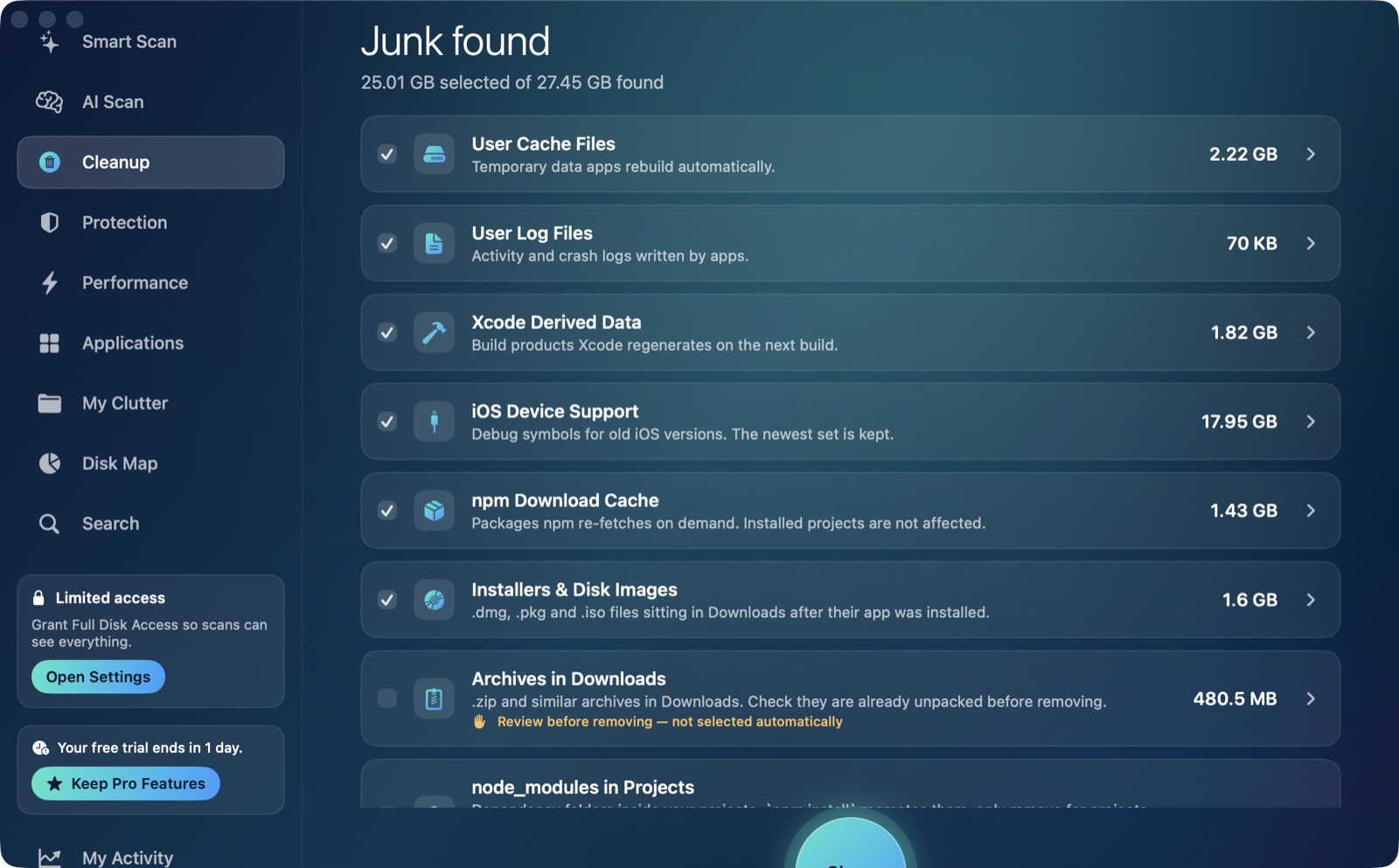
Here's where Composer's cache genuinely differs from the Rust, Node and Java caches we've covered for this same developer-tools cluster: AI Mac Cleaner's Cleanup module has a User Cache Files category that scans direct children of ~/Library/Caches — excluding only Apple's own system caches, Claude's, and the app's own cache — and because Composer's cache is a direct child of that same folder (~/Library/Caches/composer), it's already inside what that category finds and sizes, with no separate setup needed. That's a genuinely different answer from Cargo's cache or Gradle's, both of which live outside ~/Library/Caches entirely and need a different approach to reach.
It goes a step further, too: the User Cache Files category is also one of the two categories AI Mac Cleaner's Auto Clean feature is allowed to touch unattended (the other being log files), when Auto Clean is turned on and a scheduled run is due. That means, in practice, a Composer cache that's grown large can get cleared automatically along with the rest of your generic app caches, without a manual cleanup pass — as long as you're comfortable with Auto Clean touching that category at all, which stays off by default and is entirely your choice to enable.
One honest limit worth naming: if you've set a custom cache-dir for a specific project through its composer.json, that custom location could point somewhere outside ~/Library/Caches — in which case the generic category above wouldn't see it, the same gap any cache clearer scoped to the standard folder would have. Running composer config cache-dir from inside that project tells you whether this applies to you.
When it's worth clearing
Composer's cache is one of the lower-stakes ones to clear, precisely because it's so easily rebuilt and genuinely disposable by design. It's worth doing when you've got a lot of old PHP projects whose dependency versions you're unlikely to need again, or just as part of a general pass through everything AI Mac Cleaner's User Cache Files category already finds. For the same shared-cache pattern in other ecosystems, see clearing npm's cache and clearing pip's cache.
AI Mac Cleaner has a 7-day free trial with every feature unlocked, no card required, and plans from $6.99/mo after.
Frequently asked questions
Where is Composer's cache on a Mac?
~/Library/Caches/composer by default — unlike several other developer tool caches, it sits right inside the standard macOS Caches folder rather than a separate hidden directory. Run composer config cache-dir to confirm the exact path Composer is using on your machine.
Does clearing the Composer cache break my PHP projects?
No — Composer re-downloads whatever a future install or update needs. The only cost is time, re-fetching package archives it would otherwise have reused locally.
What's the difference between Composer's cache and a project's vendor/ folder?
The cache is a shared store of downloaded package archives for every project on the machine. vendor/ is one specific project's actual installed dependencies, inside that project's own folder. Clearing one doesn't affect the other.
Can AI Mac Cleaner clear my Composer cache automatically?
Yes — since it's a direct child of ~/Library/Caches, it's already covered by the Cleanup module's User Cache Files category, which is also one of the categories Auto Clean is allowed to handle unattended if you've turned that feature on.
Is there an official command to clear Composer's cache?
Yes — composer clear-cache, documented by Composer itself, empties the cache directories it manages. Deleting ~/Library/Caches/composer by hand has the same effect if needed.