 AI Mac Cleaner
Where did my 80GB go? The Xcode & Simulator storage checklist.
Five places iOS and Mac development quietly fill a disk — none of them show up as one tidy number in Finder. Run each command below yourself, no download needed, and see exactly what's eating your space.
Check each one yourself, in Terminal
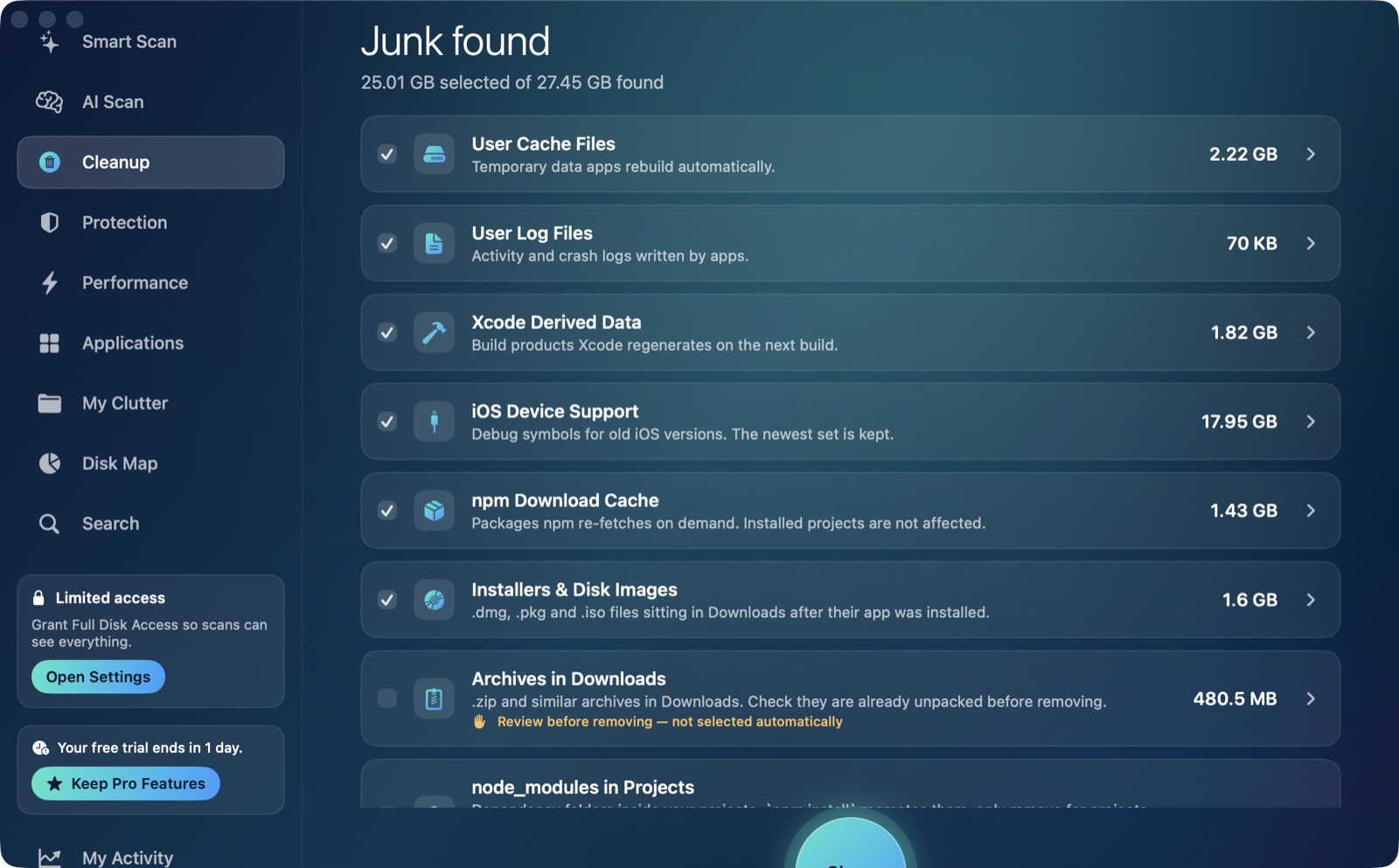
These are the same categories AI Mac Cleaner's Cleanup module already scans for — here's how to see the size by hand first.
🛠️ Xcode DerivedData
du -sh ~/Library/Developer/Xcode/DerivedData
Safe to clear — build products and indexes Xcode regenerates automatically on the next build. Usually the single biggest one on a developer's Mac.
📲 Old Simulator runtimes & data
du -sh ~/Library/Developer/CoreSimulator/Devices
Safe to clear — runtime data for every Simulator you've ever launched, including ones you no longer test against.
📱 Old iOS Device Support
du -sh "~/Library/Developer/Xcode/iOS DeviceSupport"
Safe to clear for versions you no longer test against — per-iOS-version debug symbol caches that pile up after every device or OS update.
📦 npm cache
du -sh ~/.npm/_cacache
Safe to clear — npm's own downloaded-package cache, rebuilt automatically the next time you install.
🗃️ node_modules in old projects
du -sh ~/path/to/old-project/node_modules
Review first — only clear it if you'd run npm install again anyway. Never cleared automatically, by hand or by the app.
Requires macOS 14 or later · Apple silicon and Intel · Notarized by Apple · Version 0.1
Nothing is ever deleted directly
AI Mac Cleaner's Cleanup module finds every category above, sized, in one list — then every removal goes through the app's FileRemover, which moves files to the macOS Trash. The only permanent deletion is Empty Trash, and that's a step you take yourself.
- DerivedData, Simulator data and npm cache are auto-offered (sized and ready to select); node_modules and Docker's disk image stay review-only, never pre-ticked.
FileRemoveralso refuses a hard-coded list of protected paths — your home folder, Documents, iCloud Drive — regardless of what a scan finds there.- A mistake is one "Put Back" away, right up until you empty the Trash.